Log in to MEFA Pathway and go to My College Applications under the Manage Applications tab.
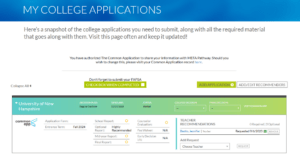
- Click ADD/EDIT RECOMMENDERS.
- Click Add Recommender to add a new teacher recommender or Edit next to a recommender’s name to edit that person’s information or Delete next to a recommender’s name to remove a recommender. Make certain to type in the correct email address of the teacher.
- Click SAVE.
Note: You may edit a recommender’s information or delete a recommender up until you have submitted a request to that person. Once you have submitted a request from a recommender, you can no longer edit that person’s information.
- Under each college, choose the teacher from whom you would like to request a letter of recommendation and click REQUEST.
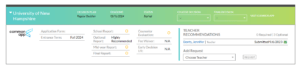
- The teacher will receive an email with your request and will submit the letter to the college.
- Once the teacher submits the letter to the college, the status of your request will update on this page.
- Make sure to check each college’s admissions webpage for the number of required/optional recommendations you should be submitting.
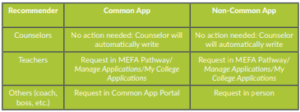
- Note: You never have to request a counselor recommendation for a Common App school, as your assigned counselor will know to write one for you for each school. You will have to request a counselor recommendation for non-Common App schools.
- You should request teacher recommendations for both Common App and non-Common App colleges.
- If you want to submit a recommendation from someone other than a teacher or counselor, such as a coach, you’ll need to make that request in the Common App Portal for Common App schools and in person for non-Common App schools.